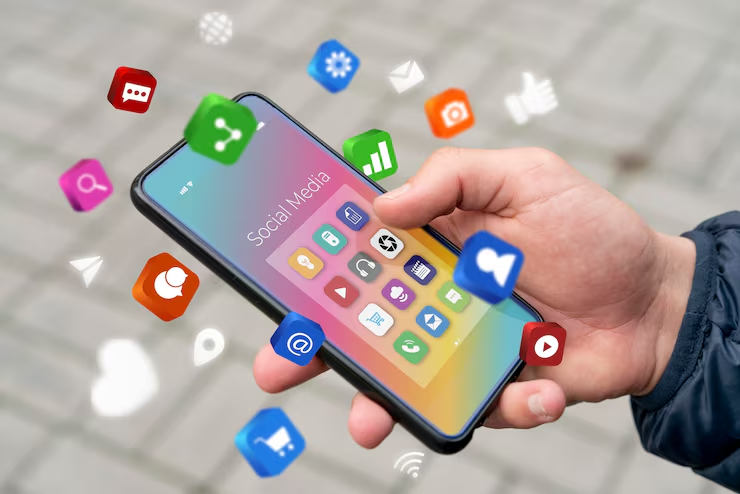
If you just bought a new phone or decided to finally download that new app everyone is talking about, you probably felt that familiar moment of hesitation. You tap “Install,” the little circle spins, and suddenly you are staring at a login screen. In the old days, setting up a social media app was simple. You picked a username, uploaded a blurry photo of your face, and started adding your friends. But here we are in 2026, and things have become much more complicated. Social media isn’t just a way to share photos of your lunch anymore. It is the primary way we get news, find jobs, stay in touch with family, and entertain ourselves. It is also a massive machine designed to keep you scrolling for as long as possible.
Setting up your social media apps correctly is the most important thing you can do for your mental health and your privacy. Most people just click “Allow” on every pop-up and then wonder why their battery is dead by noon and they feel anxious all the time. This guide is going to walk you through exactly how to set up your social media life in a way that serves you. We are going to look at the hidden settings, the privacy traps, and the little tricks that stop the algorithms from hijacking your brain. Whether you are on Instagram, TikTok, X, or whatever the newest platform is, the rules of the road are the same. Let’s build a digital environment that actually makes you feel good.
Why Your Default Settings Are Not Your Friend
The first thing you need to understand is that the default settings on any app are not designed for your benefit. They are designed for the benefit of the company that made the app. When you first open a social media app in 2026, it wants permission to do everything. It wants to track your location so it can sell that data to advertisers. It wants access to your contacts so it can build a map of who you know. It wants to send you push notifications for every single “like” and comment to pull you back into the app whenever you try to leave.
If you leave these defaults on, you are essentially handing over the keys to your digital house. You become a passenger in your own life. The app decides when to interrupt your dinner. The app decides what news you see first. The app decides which friends matter most. Taking control of your setup is an act of rebellion. It means going into those boring menu screens and toggling switches that the developers hid deep in the sub-menus. It means saying “No” to tracking and “Yes” to privacy. It might take twenty minutes of your time right now, but it will save you hundreds of hours of doomscrolling later this year. Think of this setup process as building a fence around your garden. You want to let the good stuff in, like connection and inspiration, but keep the weeds and the pests out.
Mastering Privacy and Security From Day One
Before you post your first status or like your first video, you need to lock down your account. Security in 2026 is no joke. Hackers are smarter, and automated bots are constantly trying to break into accounts to steal data or spread spam. The very first thing you must do on every single social media app is enable Two-Factor Authentication, or 2FA. This is non-negotiable. 2FA means that even if someone guesses your password, they can’t get in without a special code sent to your phone or an authentication app. It is the single best way to protect yourself. Go to Settings, find “Security,” and turn it on immediately. Do not skip this step.
Next, we need to talk about “Discoverability.” Most apps default to making your profile public and searchable by your phone number and email. This is how creepy ex-partners or random scammers find you. Go into your Privacy settings and look for “Contacts Syncing.” Turn it off. There is no reason for an app to scan your address book and tell your boss or your dentist that you just made a TikTok account. You should also review who can see your posts. If you are using social media to become an influencer, public is fine. But for most of us, “Friends Only” or “Private Account” is the safer, happier choice. It creates a smaller, more intimate space where you can actually be yourself without worrying about strangers judging you. Finally, check your “Tagging” settings. Set it so that you have to approve any photo or post that someone tags you in. This prevents embarrassing photos from automatically showing up on your profile without your permission.
Curating Your Feed and Training the Algorithm
Now that your account is secure, we need to talk about the Feed. The algorithm is the engine that drives social media. It watches what you do and gives you more of it. If you stare at a video of a car crash for ten seconds, it thinks you love car crashes and will show you ten more. This is how people fall down rabbit holes of negativity. In 2026, setting up your feed is an active process, not a passive one. You have to train the algorithm like a puppy.
When you first sign up, the app doesn’t know you. It will show you generic viral content—usually loud, bright, and controversial stuff designed to get a reaction. Do not just scroll past it. You need to give the algorithm feedback. If you see something you don’t like, look for the three dots in the corner of the post. Tap them and select “Not Interested” or “Hide.” Do this aggressively for the first week. If you see something you do like—maybe a cooking video or a science fact—don’t just watch it; like it and save it. This sends a strong signal to the AI. You are telling it, “More of this, please.”
You should also manually follow accounts that make you feel good. Follow artists, comedians, educational channels, and your real friends. Be careful about following news accounts or political rage-bait. It is good to be informed, but having graphic news headlines mixed in with your relaxation time is a recipe for anxiety. Create a separate list or use a separate news app for that. Your social media feed should be a place that recharges you, not one that drains you. If you find yourself feeling angry or jealous after five minutes of scrolling, your feed setup is wrong. Go on an “Unfollow Spree” and clear out the clutter.
The Notification Trap and How to Escape It
Notifications are the enemy of focus. In 2026, our phones are constantly buzzing, beeping, and vibrating. Every app wants your attention right now. They use psychological tricks to make you feel like you are missing out if you don’t check your phone instantly. The most important part of your setup is turning 90% of these notifications off. You do not need to know that “GenericUser123” liked your comment from three years ago. You do not need to know that a friend you haven’t spoken to in high school just went live.
Go into your phone’s main Settings, find the app, and tap “Notifications.” You will usually see a long list of switches. Turn off “Likes,” “Comments,” “New Followers,” and “Suggestions.” Keep “Direct Messages” on if you use the app to chat with friends, but that is it. By doing this, you change the dynamic. You check the app when you want to, not when the app wants you to. You regain your autonomy.
Another great feature to set up is “Scheduled Summaries.” Both iOS and Android allow you to bundle your non-urgent notifications and deliver them all at once at a specific time, like 6:00 PM. This is fantastic. It means you can go through your whole work day without being interrupted, and then catch up on everything in five minutes when you are done. It turns a constant stream of distraction into a manageable daily digest.
Managing Screen Time and Digital Wellbeing
Social media apps are designed to be addictive. They are “infinite pools” where you can scroll forever and never reach the bottom. To combat this, you need to set up boundaries before you get hooked. Every major phone now has “Digital Wellbeing” or “Screen Time” controls built right in. Use them.
Set a strict time limit for your social media apps. Maybe it is 30 minutes a day for Instagram and 20 minutes for TikTok. When you hit that limit, the app greys out and locks. You can override it, of course, but that extra step of having to type in a passcode forces you to pause and ask, “Do I really need to keep scrolling?” Usually, the answer is no.
You should also use the “App Timer” feature inside the apps themselves. TikTok and Instagram allow you to set a reminder that pops up if you have been scrolling for too long without a break. Set it for 10 or 15 minutes. It breaks the trance. It reminds you that time is passing and helps you snap out of the “doomscroll.” Another pro tip is to set up “Bedtime Mode” on your phone. This turns the screen black and white at a certain hour. Looking at colorful photos on a grey screen is boring, which makes it much easier to put the phone down and go to sleep.
Optimizing for Video and Data Usage
In 2026, almost all social media is video-based. High-definition video uses a massive amount of data. If you are not on an unlimited data plan, setting up your app incorrectly can cost you a lot of money. Buried in the settings of almost every app is a “Data Saver” mode. Turn this on. It stops videos from playing automatically when you are not on Wi-Fi. It also lowers the resolution slightly, which you probably won’t even notice on a small phone screen, but it saves gigabytes of data over a month.
You should also look at the “Autoplay” settings. By default, the next video starts playing the second the previous one finishes. This is designed to keep you watching passively. Turn Autoplay off. Make it so that you have to tap to start the next video. This tiny bit of friction gives you a choice. It allows you to decide if you want to watch another one or if you have better things to do. It puts you back in the driver’s seat.
While you are in the video settings, check the “Sound” options. Some apps default to playing sound at full volume the moment you open them, which can be embarrassing if you are in a quiet waiting room or a meeting. Set the app to launch on mute. This saves you from those awkward moments and lets you choose when to engage with the audio.
The Hidden World of Ad Preferences
Social media is free because you are the product. Advertisers pay to show you things they think you will buy. However, you have some control over this relationship. In the settings menu, look for “Ad Preferences” or “Ad Activity.” Here, you can see what the app thinks you are interested in. It might list “Soccer,” “Makeup,” “Cars,” and “Travel.”
Go through this list and delete the things that are wrong or annoying. If you bought a blender one time three years ago, the app might still think you are obsessed with kitchen appliances and show you blender ads every day. Delete that interest. This won’t stop ads from appearing—nothing can stop that—but it will make the ads more relevant to who you actually are.
You can also turn off “Personalized Ads” entirely on some platforms. This means the app won’t use your data from other websites to target you. The ads you see will be generic, but your privacy will be better protected. It is a trade-off, but for many people in 2026, privacy is worth a few irrelevant ads.
Handling Direct Messages and Spam
The “Direct Message” or DM inbox is often where the worst parts of social media live. Spam bots, scams, and harassment often arrive via DM. To protect yourself, you need to set up your “Message Requests” folder properly.
Set your account so that people who you don’t follow cannot send you messages directly. Instead, their messages should go into a hidden “Requests” folder. This allows you to screen them without the sender knowing you have seen them. You can delete the spam without ever opening it.
You should also look for “Hidden Words” or “Comment Filtering” settings. You can create a list of words that you never want to see—offensive slurs, insults, or even just annoying phrases. If someone tries to send you a message or leave a comment containing those words, the app will automatically hide it. This is a powerful tool for protecting your mental peace. You essentially build a shield that filters out the toxicity before it ever reaches your eyes.
Setting Up Multiple Profiles for Work and Play
In 2026, the line between our personal lives and our professional lives is blurrier than ever. Employers look at social media profiles, and clients might Google you. A great setup strategy is to have two completely separate accounts: a professional one and a personal one.
Your professional account (LinkedIn, X, or a public Instagram portfolio) should be polished. Use your real name and a professional photo. Set this account to Public. This is your digital business card. Use it to network, share industry news, and build your career brand.
Your personal account (Facebook, a private Instagram, or Snapchat) is for your real friends. Use a nickname or just your first name. Set this account to Private. This is where you post photos of your kids, your vacations, and your silly moments. By separating these two worlds, you don’t have to worry about your boss seeing your party photos, and you don’t have to bore your friends with your work achievements. Most apps now allow you to switch between accounts instantly with a double-tap, so managing two lives is easier than ever.
Conclusion: Constant Maintenance is Key
Setting up your social media apps is not a one-time thing. It is an ongoing process. Apps update constantly. They add new features, change their privacy policies, and reset your settings without telling you. In 2026, you need to treat your digital setup like you treat your car or your home. It needs regular maintenance.
Every few months, take ten minutes to do a “Social Media Audit.” Go back into your settings. Check your privacy options. Review who you are following. Look at your screen time stats. Ask yourself: “Is this app still serving me, or am I serving it?”
If you find that an app is making you unhappy, don’t be afraid to delete it. You can always reinstall it later. Or, try moving the icon off your home screen and into a folder on the last page of your phone. Sometimes, just making the app harder to find is enough to break the habit.
Social media is a powerful tool. It can connect us, teach us, and inspire us. But like any power tool, it can be dangerous if you don’t know how to use the safety guards. By taking the time to set up your apps with intention—prioritizing privacy, mental health, and real connection—you transform your phone from a slot machine into a utility. You take back your time. You take back your attention. And in the noisy digital world of 2026, your attention is the most valuable thing you own. Protect it.