
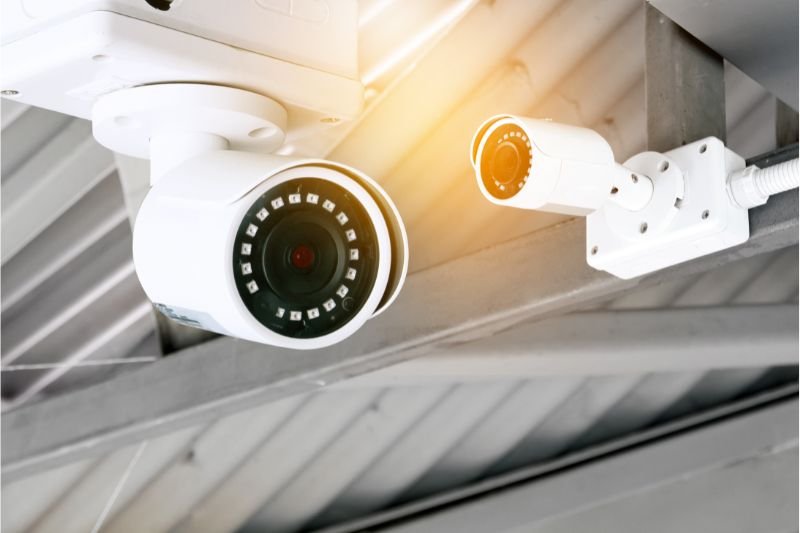
We all want to feel safe. It is one of the most basic human needs. Whether you are at home sleeping or halfway around the world on vacation, knowing that your property and your loved ones are secure brings a peace of mind that money cannot buy. In the past, setting up a security system was a massive headache. You had to call a specialized company, pay them thousands of dollars, sign a three-year contract, and let them drill giant holes in your walls to run ugly wires. But here we are in 2026, and the game has completely changed. Security is no longer just for the wealthy or the tech-savvy. It is accessible, affordable, and smarter than ever before.
However, having access to technology and knowing how to install it correctly are two very different things. Buying a box of cameras from the store is the easy part. Putting them in the right spots, getting them to talk to your phone, and ensuring they record the right things without annoying your neighbors is where the real work happens. If you do it wrong, you end up with a system that constantly sends you false alarms because of a swaying tree branch, or worse, a system that misses the one moment you actually needed to see. This guide is going to walk you through the entire process of installing a CCTV and security system yourself. We will use simple English and avoid the confusing technical jargon. We are going to build a fortress that is effective, reliable, and easy to use.
Planning Your Security Perimeter Like a Pro
Before you drill a single hole or buy a single camera, you need a plan. Most people skip this step and just stick cameras wherever they think looks good. This is a mistake. You need to think like a burglar to stop a burglar. Walk outside your house and look at it from the street. If you locked yourself out, how would you get in? Would you hop the back fence? Would you try the basement window? These are your weak points, and these are where your cameras need to be.
You generally need to cover three zones. The first is the “Approach Zone,” which includes your driveway and front path. You want to see people before they get close to the house. The second is the “Entry Zone,” which covers your front door, back door, and garage door. This is where you need high-detail cameras to catch faces. The third is the “Blind Zone,” which usually means the sides of your house or the backyard shed where someone might hide. Draw a rough sketch of your property on a piece of paper and mark these spots. This will tell you exactly how many cameras you need so you don’t overspend or leave gaps. Remember, a camera that points at a blank wall is useless. A camera that points at a busy street will record thousands of cars and fill up your storage in a day. You need to find the balance.
Choosing Between Wired, Wireless, and PoE Cameras
In 2026, you have three main choices for how your cameras get power and send video. The first is “Wire-Free.” These run on batteries and connect to Wi-Fi. They are incredibly easy to install because you just screw them into the wall. However, you have to take them down to charge them every few months, and if your Wi-Fi is weak, they might miss some action. They are great for renters or hard-to-reach trees, but they are not the most reliable for 24/7 recording.
The second option is “Plug-in Wireless.” These plug into a standard power outlet but send video over Wi-Fi. This means you never have to charge batteries, but you are limited by where your power outlets are. You might end up with ugly extension cords running along your siding.
The third, and by far the best option for a serious system, is “PoE” or Power over Ethernet. This uses a single internet cable to send both power and video. You run one cable from your router to the camera, and that is it. It is rock-solid reliable. It never runs out of batteries, and it doesn’t slow down your Wi-Fi because the video travels over the wire. If you own your home and are comfortable drilling a few holes, PoE is the gold standard. It gives you professional-quality video without the professional price tag.
Understanding Resolution, Night Vision, and Field of View
When you look at camera boxes, you will see big numbers like “2K,” “4K,” or “8 Megapixels.” In the old days, security footage was grainy and black and white. You couldn’t tell if the intruder was a person or a bear. Today, 4K is becoming standard. A 4K camera captures four times as much detail as a standard HD camera. This matters because security cameras usually have a wide-angle lens to see a whole yard. When you try to zoom in on a face or a license plate in the distance, a lower resolution image will turn into a blur. 4K allows you to zoom in digitally and still see sharp details.
Night vision has also evolved. Old cameras used infrared (IR) lights that turned everything into a spooky black-and-white image. In 2026, look for “Color Night Vision.” These cameras use special sensors and a small spotlight to capture full color even in the dark. Being able to tell the police that the intruder was wearing a red hoodie instead of a grey one can make a huge difference. Also, pay attention to the “Field of View.” A narrow camera (like 90 degrees) is good for a long driveway. A wide camera (like 160 degrees) is good for a porch. Don’t put a wide camera on a driveway, or everything will look tiny and far away. Match the lens to the location.
Smart Storage Solutions: NVR vs. Cloud Subscriptions
Once your cameras capture the video, where does it go? You have two paths: the Cloud or Local Storage. Cloud storage is convenient. The camera sends the video to the internet, and the company saves it for you. You can watch it from anywhere. But there is a catch: the monthly fee. If you have five cameras, those subscription fees can add up to hundreds of dollars a year. Plus, if your internet goes down, your cameras stop recording.
The alternative is an NVR, or Network Video Recorder. This is a small box that lives in your house, usually near your router. It has a hard drive inside, just like a computer. All your cameras send their video to this box through cables or Wi-Fi. The benefit is that it records 24/7, not just short clips. It works even if the internet is down. And best of all, there are no monthly fees. You own your footage. In 2026, modern NVRs are very user-friendly. They have apps just like the cloud cameras, so you can still watch your live feed from your phone while you are at work. For privacy and long-term cost, an NVR is the smarter choice for most homeowners.
The Art of Camera Placement and Installation Angles
Installing the camera is not just about screwing it to the wall; it is about geometry. The biggest mistake people make is mounting cameras too high. If you put a camera on the second floor looking down, all you will see is the top of someone’s head or their baseball cap. To identify a face, the camera needs to be about seven to nine feet off the ground. This is high enough that a burglar can’t easily smash it with a bat, but low enough to get a good angle on their face.
You also need to think about the sun. If you point a camera East or West, the rising or setting sun will blind the lens for an hour every day, leaving you with a white washed-out image. Try to point cameras slightly downward to avoid the horizon. Also, avoid “IR Reflection.” If you mount a camera too close to a wall or under a deep eave, the night vision light will bounce off the wall and blind the camera. Make sure the lens has a clear view with nothing close to it in the foreground.
When drilling into your house, always look for a stud or solid wood. Cameras are not heavy, but wind and ice can rip them out of weak siding. Use a masonry bit if you are drilling into brick. And crucially, waterproof your connections. Most cameras come with a waterproof cap for the cable connection. Use it! If water gets into that plug, the camera will short out in six months. A little bit of silicone caulk around the hole you drilled will also stop bugs and water from getting inside your walls.
Mastering the Cabling and Wire Management
If you chose a wired system, running the cables is the hardest part of the job. It scares a lot of people, but it is just logic. You need to get a cable from the camera outside to the recorder inside. The neatest way is usually through the attic or the basement. If you have an attic, you can drill a hole in the soffit (the overhang of your roof), push the cable up into the attic, and then drop it down a wall into the room where your recorder is.
To do this, you will need a “Fish Tape.” This is a stiff wire that helps you pull the cable through walls. It is cheap and essential. Always leave a “Service Loop” at both ends of the cable. This means leaving an extra 2 or 3 feet of wire coiled up before you cut it. If you ever need to move the camera or replace the connector, you will thank yourself for having that extra slack.
If you cannot run wires through the walls, do not just staple them to the baseboard where they look messy. Use “Cable Concealer” or raceways. These are plastic channels that stick to the wall and hide the wire. You can paint them to match your room. Outside, use clips to keep the wire tight against the house so the wind doesn’t whip it around. A tidy installation is a professional installation.
Optimizing Your Network for Security Traffic
Video uses a lot of data. A 4K camera is sending a massive amount of information every second. If you have four or five Wi-Fi cameras constantly uploading to the cloud, your internet speed will crash. Your Netflix will buffer, and your Zoom calls will freeze. This is why networking is a huge part of security installation.
If you are using Wi-Fi cameras, you need a strong router. In 2026, “Wi-Fi 6” or “Wi-Fi 7” routers are designed to handle many devices at once. You should ideally put your cameras on a separate “channel” or even a separate “Guest Network.” This keeps the heavy video traffic away from your work computers.
If you are using a wired PoE system, the traffic stays off your Wi-Fi entirely until you open the app on your phone. This is another reason why professionals prefer wired systems. They keep your home network fast. If you must use Wi-Fi cameras far from the house (like on a detached garage), you might need to install a “Wi-Fi Extender” or a Mesh point to make sure the signal is strong enough. A camera that constantly disconnects is worse than no camera at all because it gives you a false sense of security.
Reducing False Alarms with AI Detection
The most annoying part of owning a security system is the notifications. “Motion Detected at Front Door.” You check your phone, and it is a squirrel. Ten minutes later: “Motion Detected.” It is a shadow from a cloud. After a week of this, you stop checking, and that is when the real break-in happens.
In 2026, cameras have built-in Artificial Intelligence (AI) to solve this. You need to set this up correctly. Go into your camera settings and look for “Smart Detection.” You can tell the camera to ignore trees, cars, and animals, and only alert you if it sees a “Person” or a “Vehicle.” This cuts down false alarms by 90%.
You can also set up “Activity Zones.” This allows you to draw a box on the screen. You can tell the camera, “Only alert me if there is motion inside this box.” Use this to block out the street or your neighbor’s driveway. You want to record the street (for evidence), but you don’t want a notification every time a car drives by. By tuning these settings, your phone will only buzz when something actually matters, which means you will pay attention.
Navigating Privacy Laws and Being a Good Neighbor
Security is important, but so is privacy. In 2026, people are very sensitive about being watched. There are laws about where you can point your cameras. Generally, you are allowed to record your own property and public spaces like the street. You are not allowed to record areas where people have a “reasonable expectation of privacy.” This means you cannot point a camera into your neighbor’s bedroom window or their backyard hot tub.
Even if it is legal, pointing a camera directly at your neighbor’s front door can start a feud. Be a good neighbor. After you install your cameras, show your neighbor the view on your phone. Show them that you have used the “Privacy Mask” feature (which blocks out sensitive areas with a black box) to respect their space. If your camera records audio, be careful. In some states and countries, it is illegal to record conversations without consent. It is usually best to turn audio recording off for outdoor cameras unless you have a specific need for it. A security system should protect your home, not turn your neighborhood into a surveillance state.
Maintenance: Keeping Your System Running for Years
Once the system is installed, you can’t just forget about it. Cameras get dirty. Spiders love to build webs across the lens because the infrared light attracts bugs. Dust and pollen build up on the glass. Every few months, go outside with a microfiber cloth and some glass cleaner. Wipe down the lenses. A blurry camera is useless in court.
You also need to check your firmware. Just like your phone, camera manufacturers release updates to fix bugs and patch security holes. Set a reminder in your calendar to check for updates every three months. If you use a battery-powered system, check the battery levels before you go on vacation. If you use a hard drive recorder, check the “Health Status” in the settings to make sure the drive isn’t failing.
Finally, test the system. Walk past your cameras and see if you get an alert. Try to play back footage from yesterday. Sometimes a system looks like it is working, but the hard drive is full or the recording schedule got turned off. A monthly five-minute checkup ensures that when an emergency happens, your system is ready to do its job.
Conclusion
Installing your own CCTV and security system is a powerful move. It saves you money, gives you control over your data, and allows you to customize the protection to fit your specific life. It might seem intimidating at first—dealing with wires, networks, and drill bits—but if you take it one step at a time, it is a very manageable project.
By planning your zones, choosing the right equipment, and taking the time to configure the AI settings, you build a safety net around your home. You move from being a passive victim to an active protector. In 2026, the technology is there to make us safer than ever before. It doesn’t require a professional guard or a monthly contract; it just requires a little bit of effort and the willingness to learn. So grab your ladder, check your Wi-Fi signal, and start building your peace of mind today.